How to Activate TableCopy Pro with a License Key
If you already have a TableCopy license key, you can activate TableCopy Pro in just a few steps. Follow this guide to complete the activation without reinstalling the extension.
Before You Start
Make sure you have:
- The TableCopy browser extension installed.
- A valid TableCopy license key.
Activation Steps
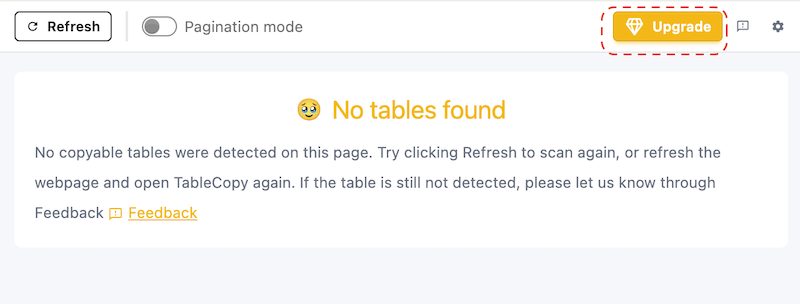
Step 1: Open the TableCopy Options Page
Click the TableCopy icon in your browser toolbar, then click Upgrade to open the options page.
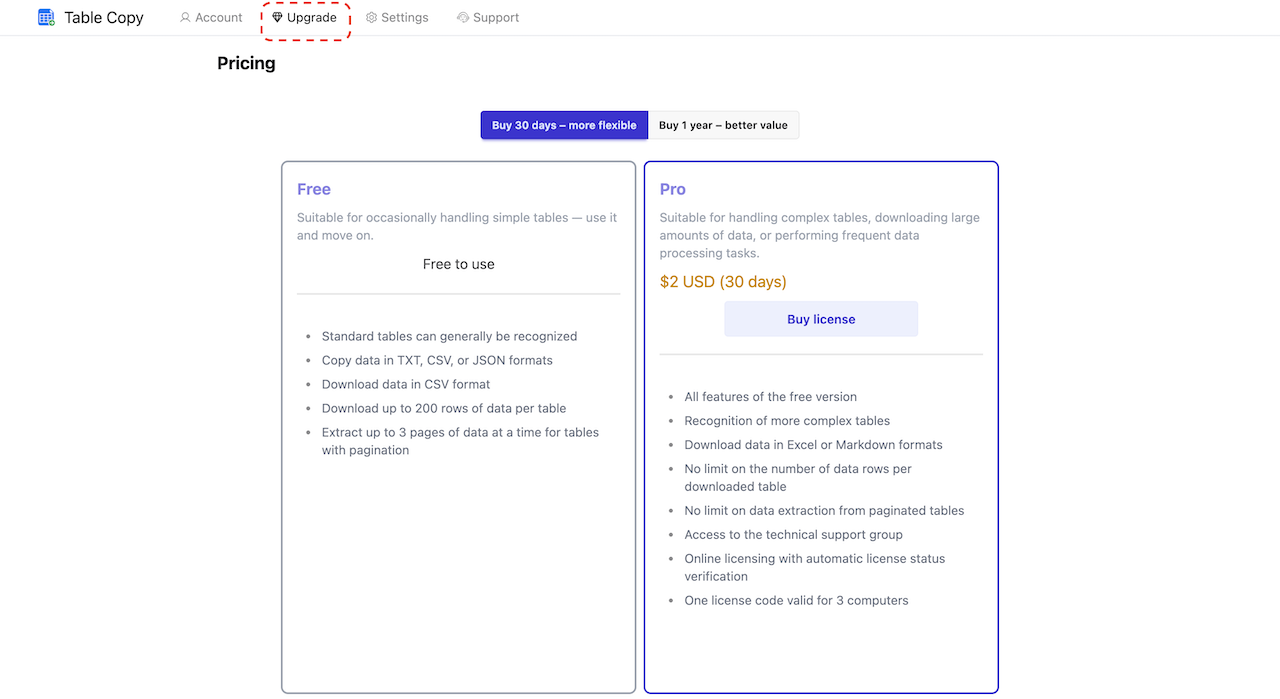
Step 2: Open the License Key Tab
On the options page, select the Upgrade tab, then click Already Have a License Key.
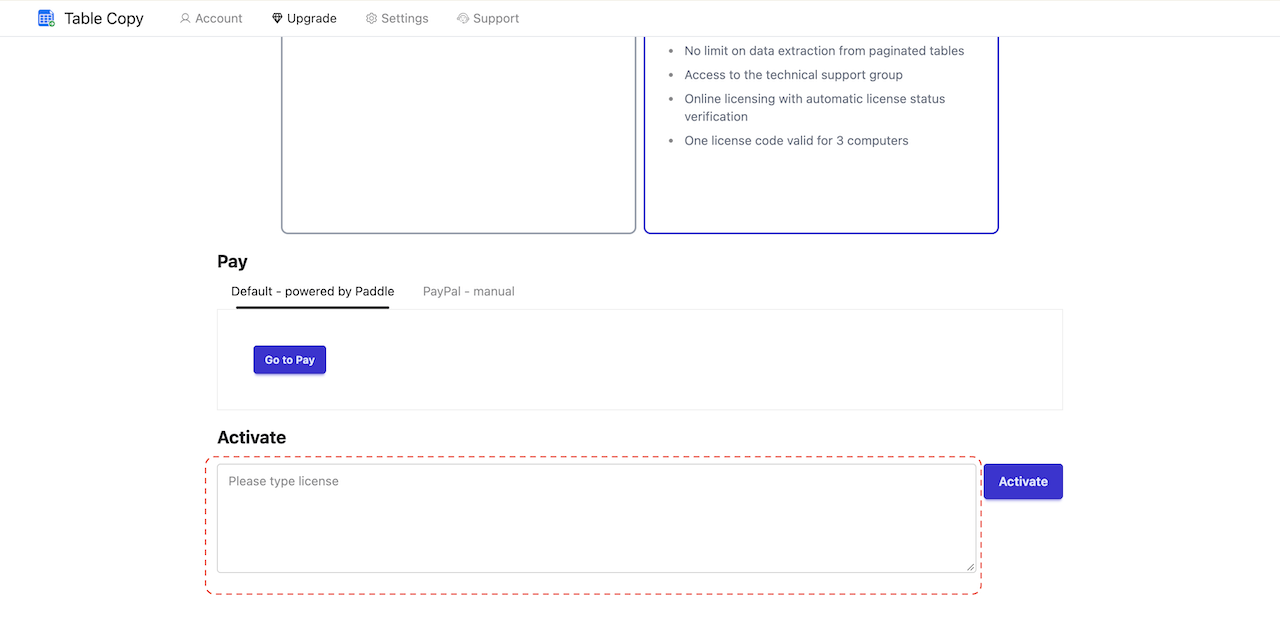
Step 3: Enter Your License Key
Paste your license key into the text box and click Activate.
Make sure you copy the entire license key correctly without missing any characters or including unwanted text.
Step 4: Confirm Successful Activation
If you see a success message, your license has been activated successfully.
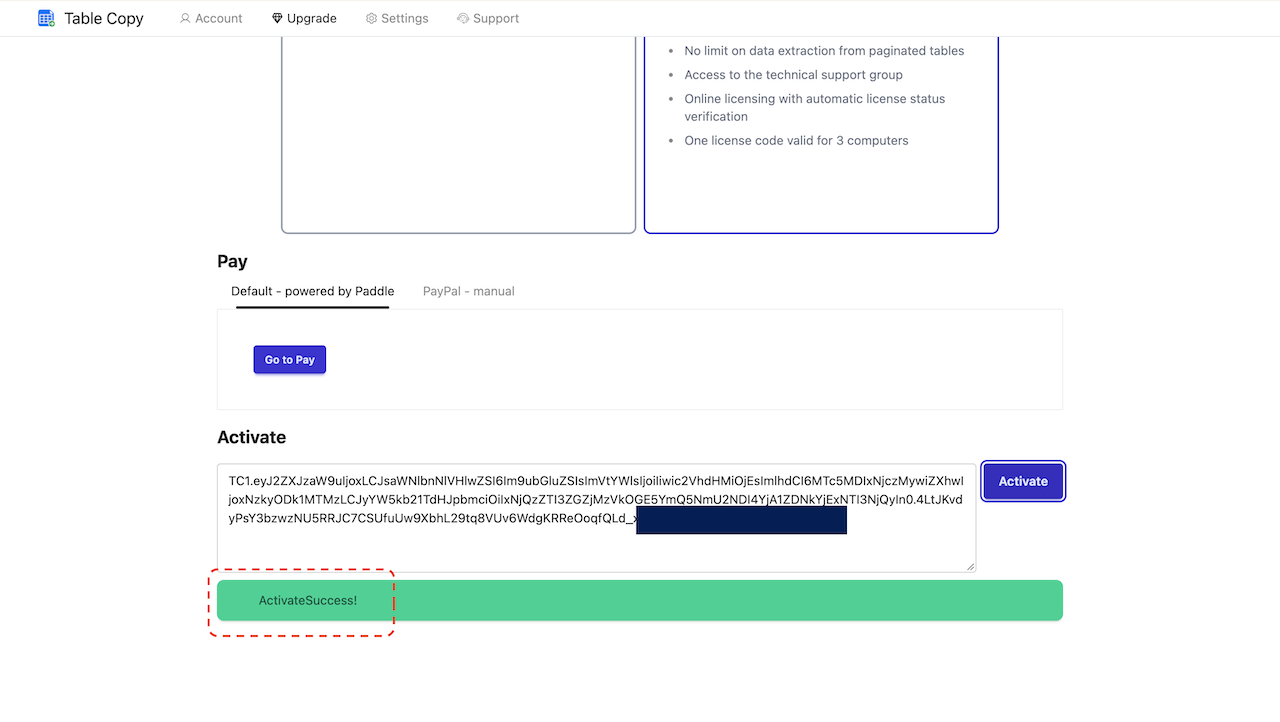
Congratulations! You can now start using the applicable Pro features in TableCopy.
Step 5: Check Your License Information
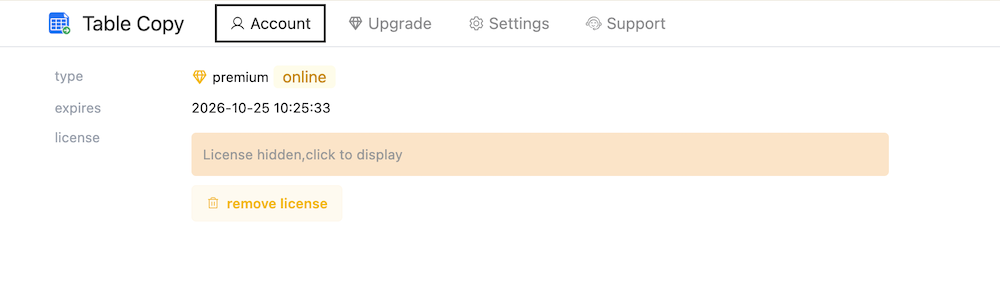
After activation, you can also view your account and license information on the options page to check your current license status and expiration date, if displayed.
What If Activation Fails?
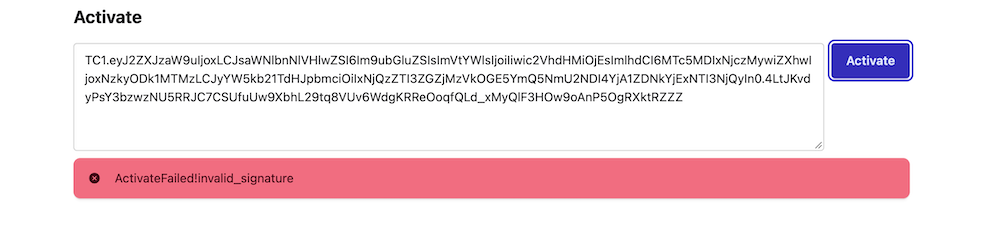
If you cannot activate your license key, try the following:
- Check your license key: Make sure the entire key is copied correctly, with no missing characters or extra spaces.
- Check your internet connection: If activation requires access to the license server, make sure your browser can connect to the internet.
- Try again: Reopen the options page, paste your license key, and attempt activation again.
If the problem persists, contact us through the feedback channel on the TableCopy website and describe the issue you encountered.
Once activated, you can use TableCopy to copy tables from web pages, export data, and access the Pro features included with your license.