Copy Paste URLs
Instruction
Copy Paste URLs — a simple and lightweight tool for copying, extracting, and opening multiple URLs.
An alternative to the discontinued "Copy All Urls" extension.
Features
- Copy URLs from tabs — copy URLs and titles from all tabs, selected tabs, or only the current tab.
- Extract URLs from text — automatically detect and extract multiple URLs or domains from a block of text.
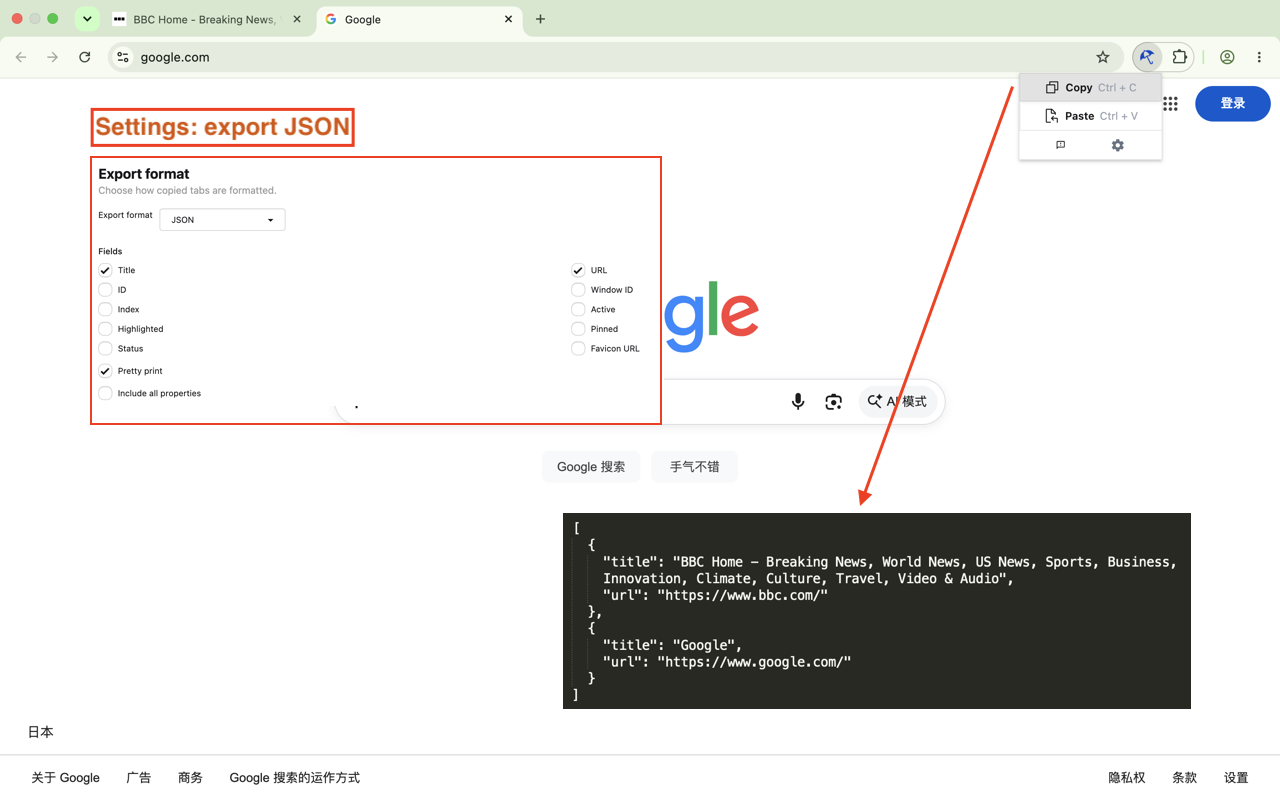
- Customize export format — configure the format of copied URLs and tab titles.
- Open multiple URLs in batches — paste multiple URLs and open them all at once.
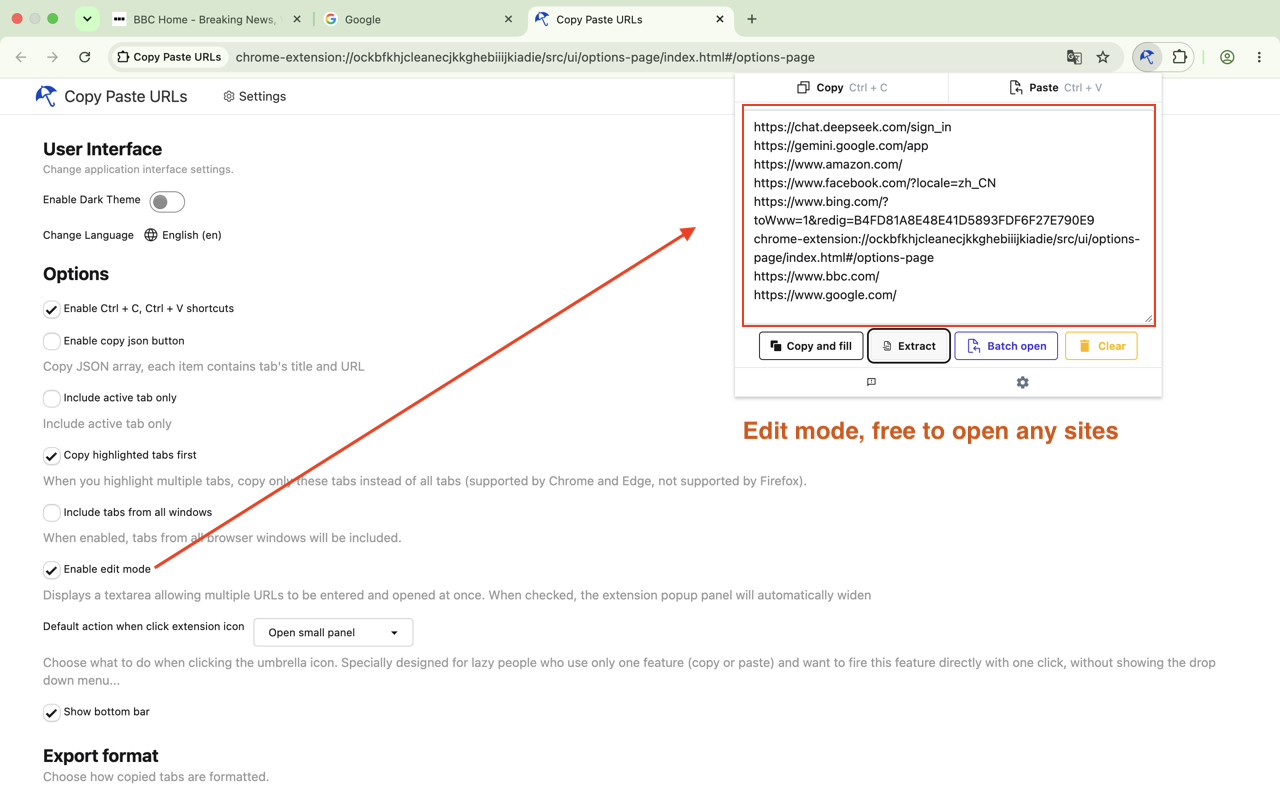
- Edit before opening — manually enter, edit, or organize URLs before opening them.
- Keyboard shortcuts — supports Ctrl+C and Ctrl+V for quick URL operations.
- Manifest V3 compatible.
- Clean, simple, and lightweight.
Copy. Extract. Open. That's it.
Usage
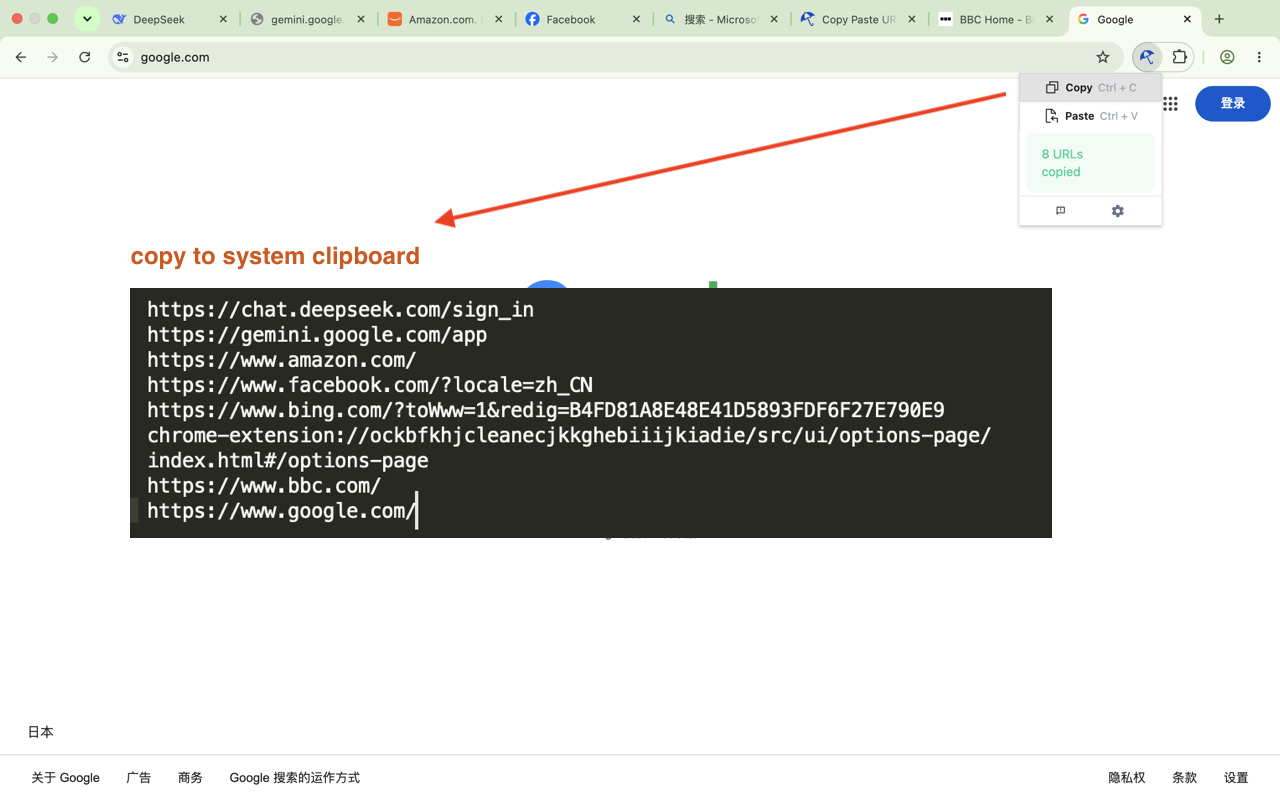
1-copy-to-system-clipboard
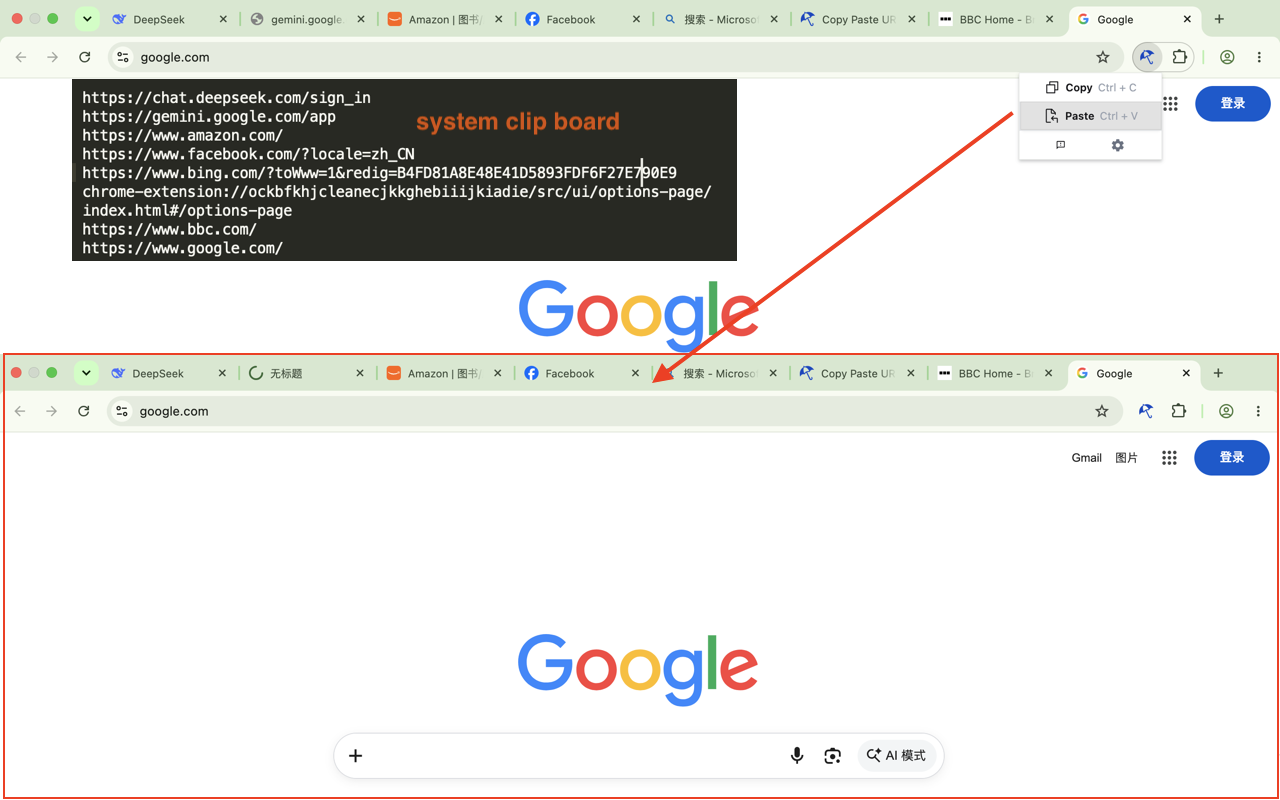
2-system-clipboard-batch-open-tabs
3-export-json
4-edit-mode
5-recognize-URLs-in-text